
How do I know if my phone or computer has a virus or has been hacked?

Look for unusual slowdowns, pop-ups, unknown apps or account activity, then scan and change passwords.
Warning signs include sudden slowdowns, unexpected pop-ups, apps you do not recognise, fast battery drain, high data use and unfamiliar activity on your accounts. None proves a problem alone, but several together are worth checking.
Act quickly if you think you are affected.
What to do
Install updates, remove unknown apps and run a scan with a reputable security tool. On computers, use the built-in or a trusted anti-malware program.
Secure your accounts
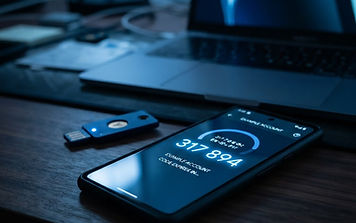
From a clean device, change passwords for your email, banking and important accounts, and turn on 2FA.
If it persists
Back up your files and restore the device to factory settings. If money or identity details may be at risk, contact your bank and the relevant authorities.
More in Technology & AI
Mini-courses
Recommended for you

 1 credit
Adapt Your Skills for AI Collaboration
Build a sustainable career by integrating AI into your workflow and developing uniquely human capabilities.

 1 credit
Secure Your Accounts with Second-Factor Authentication
Implement modern authentication methods to effectively protect your private data from unauthorised access.

 1 credit
Understand the Core Framework of AI
Gain a functional understanding of how artificial intelligence, machine learning and deep learning interrelate.